pp888 App — Cricket Betting & Casino in Your Pocket
The pp888 App puts BPL and IPL odds, over 2,800 games and bKash deposits right on your Android phone. Download the APK file, enable one setting, and you are live in under three minutes.
Scan with your Android camera to download the pp888 App directly.
What the pp888 App Does
Six things the app handles that make it worth having on your phone rather than opening a browser tab every time.
Live Cricket Odds
Follow BPL, IPL, T20 and ODI matches in real time. The app refreshes odds ball by ball so you can place in-play bets without refreshing a browser page. Push notifications alert you when a match goes live. Minimum bet ৳10 per market, settled within seconds of each over.
Slots & Crash Games
All 2,800+ titles from Pragmatic Play, Evolution, Spribe and Red Tiger load faster on the app than on mobile browsers because assets are cached locally. Crash games like Go Rush stream at full frame rate even on a mid-range Android device. No buffering during peak hours.
Live Casino Tables
Evolution's live dealer studio streams directly through the pp888 App. Play Roulette, Baccarat, Blackjack and game-show titles with real dealers. The app uses adaptive bitrate so the stream adjusts if your connection dips on the commute, keeping the table visible and bets open.
bKash & Nagad Deposits
Deposit with bKash, Nagad, Rocket or Upay without leaving the app. The minimum deposit is ৳150 and funds appear in your pp888 wallet within about 3 minutes. The same payment screen handles withdrawals — the minimum is ৳1,100 and most payments complete in roughly 22 minutes.
Bonus & Promotions Hub
Your first deposit through the app qualifies for the same 210% welcome bonus (up to ৳6,500) as the desktop site. The Bonus tab inside the app shows active offers, wagering progress against the 13× requirement, and daily 0.9% cashback balance — all on one screen, no digging through menus.
24/7 Live Chat Support
Tap the chat bubble anywhere in the app to reach support staff around the clock. No need to email or search a help page. If you have a pending withdrawal question at 3 AM during a Bangladesh night match, support responds just as fast as during office hours. Average first reply: under 2 minutes.
System Requirements & Version Info
Check these before you download. The pp888 App is a native Android application — there is no App Store listing for iOS at this time (see the iPhone section below for the alternative).
| Field | Detail | Notes |
|---|---|---|
| File Name | pp888.apk | Direct download — no Play Store needed |
| Version | 3.7.9 | Latest stable release |
| File Size | 32 MB | Downloads in under 1 minute on a 4G connection |
| Android Required | 8.0 (Oreo) or higher | Covers most phones sold in Bangladesh since 2018 |
| Last Updated | 3 November 2026 | Includes live cricket score widget |
| Price | Free | No download fee, no subscription |
| Languages | English / Bangla | Switch in Settings > Language |
| Storage Needed | ~55 MB after install | Cache grows slightly with use; clearable in Settings |
How to Install the pp888 App on Android
Android blocks APK files from outside the Play Store by default. Step 2 fixes that in about ten seconds — it is a standard setting, not a security risk when the source is pp888.
-
1
Open your browser
On your Android phone, open Chrome or any browser. Go to pp888.site/pp888-app/ or scan the QR code at the top of this page. Make sure you are on a stable Wi-Fi or 4G connection — the file is 32 MB and completes in under a minute on a typical Dhaka connection.
-
2
Allow unknown sources
Go to Settings → Apps → Special App Access → Install Unknown Apps. Find your browser in the list and toggle "Allow from this source" to on. This one-time setting tells Android it is safe to install APK files you download from pp888. You can turn it off again after installation if you prefer.
-
3
Tap Download APK
Return to this page and tap the orange "Download APK Free" button. Your browser will save pp888.apk to your Downloads folder. A progress bar in your notification shade shows the download. When it reaches 100%, a prompt appears asking whether to open the file — tap it immediately or find the file in Downloads.
-
4
Run the installer
Android shows a standard "Do you want to install this app?" screen with the pp888 icon and permissions list. Tap Install. The process takes about 15 seconds. When it finishes you will see "App installed" and a blue Open button. The pp888 App icon also appears on your home screen automatically.
-
5
Log in or register
Open the app and tap Log In if you already have a pp888 account. New players tap Register — the form takes under two minutes to fill in. Use your bKash number as your contact. Once inside, head to the Deposit tab, choose bKash, enter ৳150 or more, and your bonus activates. You are ready to bet.
Can You Use pp888 on iPhone?
There is no iOS App Store version of pp888 at this time. iPhone and iPad users get the best experience by adding the mobile website to their home screen — it behaves like an app and keeps you logged in.
- 1Open Safari on your iPhone and go to pp888.site.
- 2Tap the Share button (the box with an upward arrow) at the bottom of the screen.
- 3Scroll down the share sheet and tap "Add to Home Screen".
- 4Change the name to pp888 if you like, then tap Add in the top-right corner.
- 5The pp888 icon now sits on your home screen. Tap it to open a full-screen session — no browser address bar, no distractions. All features including bKash deposits work the same way.
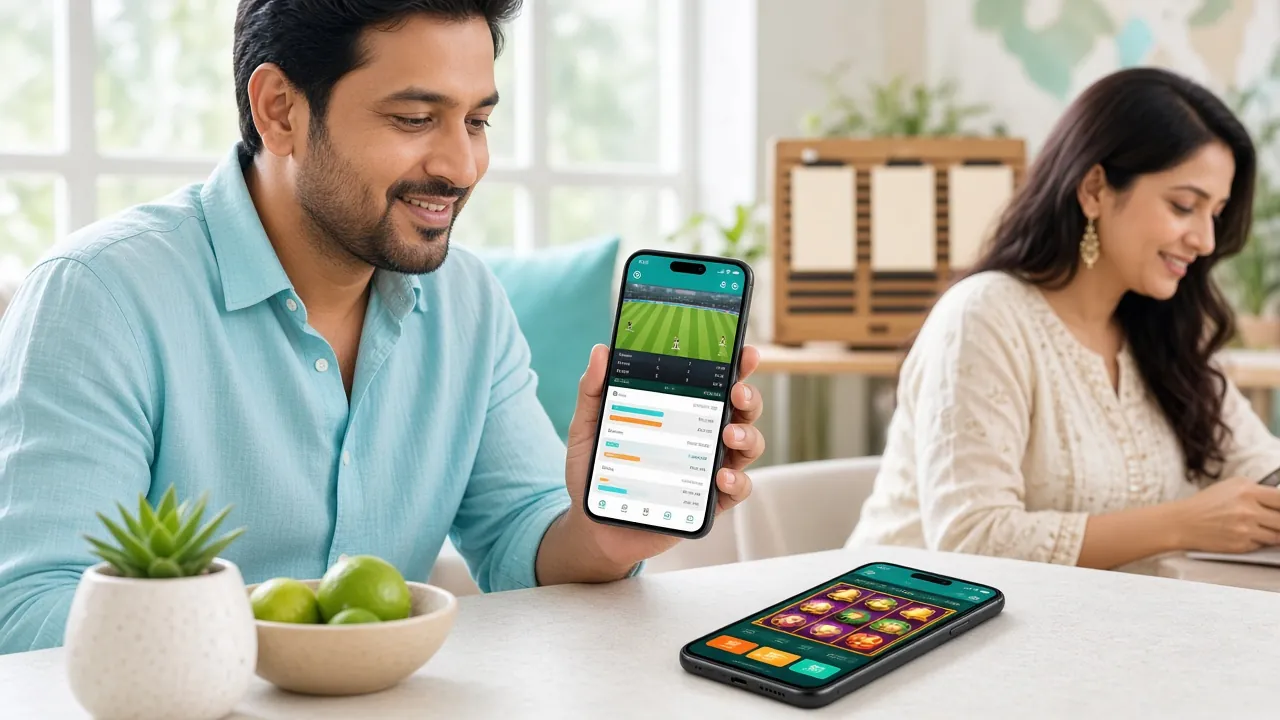
Playing on Match Night? The App Is Faster
When a BPL game reaches a tense final over, odds update every few seconds. The pp888 App pushes live price changes directly to your screen — no manual refreshing, no missed windows. The in-play betting panel loads in under a second from the home screen.
Enable push notifications in the app settings and pp888 will alert you when a match you followed goes live, when your withdrawal clears, or when a new bonus is added to your account.
See All Games in the CasinoSecurity & Permissions — What the App Actually Accesses
It is fair to ask what an APK outside the Play Store does on your phone. Here is exactly what pp888 requests and why.
256-bit TLS Encryption
All data between the pp888 App and the server — including your bKash transaction numbers and account credentials — travels over a TLS 1.3 encrypted connection. The same standard used by online banks in Bangladesh. No personal data is stored on your device in plain text. Session tokens expire after inactivity.
Permissions the App Requests
The pp888 App asks for Internet access (required to load games and process payments), Storage (to save the APK update file), and Notifications (optional — for match alerts). It does not request access to your camera, microphone, contacts, SMS or location. You can review permissions at any time under Android Settings → Apps → pp888.
Verified APK Source
Only download pp888.apk from pp888.site — this page is the only official source. The file is signed with pp888's developer certificate. If you download from a third-party APK site the signature will not match and your Android will warn you. If you see that warning, delete the file and return here to get the genuine version at version 3.7.9.
Account & KYC Safety
Your pp888 account is protected by a password you set at registration. Before your first withdrawal, you will need to verify your identity using a National ID Card, Passport or Driving Licence — KYC review takes up to 24 hours. This protects your winnings from being claimed by anyone else. Enable the in-app PIN lock for an extra layer when sharing a phone.
App vs Browser — Side by Side
Both routes work. The table below shows where each one has the edge so you can decide which fits your playing style and device.
| Feature | pp888 App (Android APK) | Mobile Browser (pp888.site) |
|---|---|---|
| Loading speed | Faster — assets cached locally | Slightly slower on first visit |
| Live odds refresh | Push-based, near real-time | Polling-based, slight delay |
| Push notifications | Yes — match alerts, bonus alerts | Not available on Android Chrome |
| bKash / Nagad deposits | Native in-app payment flow | Web redirect, same result |
| Game library | All 2,800+ games available | All 2,800+ games available |
| Welcome bonus eligibility | Yes — 210% up to ৳6,500 | Yes — 210% up to ৳6,500 |
| Live casino streaming | Adaptive bitrate, smoother on 4G | Works, may buffer on weak signal |
| Auto-login | Yes — stay logged in between sessions | Depends on browser cookie settings |
| iOS support | Android only (8.0+) | All devices, all browsers |
| Storage used | ~55 MB on device | None (runs in browser) |
| Updates | Prompt appears in-app when update ready | Always latest version automatically |
| Battery use | Optimised native rendering | Browser overhead uses slightly more |
Bottom line: Android users on 4G who play cricket betting or live casino will notice the difference. If you are on a desktop computer or iPhone, the browser version is equally capable.
What You Can Play Right Inside the pp888 App
The full game lobby is available from day one. These are two of the most-played titles on the platform among Bangladesh players.


These are just two titles. Inside the app you will find the full catalogue — slots, fishing games, crash titles, live tables and cricket markets — organised by category with a search bar at the top.
Browse the Full Casino LobbyIf the Installation Goes Wrong
Most problems come from one of five causes. Find your error message in the table and follow the fix — most resolve in under two minutes.
| Problem / Error | Most Likely Cause | How to Fix It |
|---|---|---|
| "Install blocked" message | Unknown sources permission not enabled for your browser | Go to Settings → Apps → Special App Access → Install Unknown Apps. Find your browser and turn on "Allow from this source." Try opening the APK file again from your Downloads folder. |
| Download stops at 0% or stalls | Weak mobile data or server timeout | Switch from mobile data to Wi-Fi (or vice versa). Clear your browser's download queue in Settings → Downloads and start the download fresh from the button above. A 32 MB file needs a stable connection for about 30 seconds. |
| "App not installed" after tapping Install | An older version of the app is still on the device, or storage is full | Go to Settings → Apps, find any existing pp888 entry and uninstall it first. Then check that your phone has at least 100 MB free storage. Re-install the freshly downloaded pp888.apk and the error should not reappear. |
| "Parse error" or "Package invalid" | The APK file is corrupted — either the download was cut off, or you got the file from a third-party site | Delete the corrupted file from your Downloads folder. Return to this page and tap the orange Download button again to get a clean copy of pp888.apk v3.7.9. Never install APK files from unofficial sites — they may be modified. |
| App installs but crashes on open | Android version below 8.0 (Oreo), or insufficient RAM | Check your Android version at Settings → About Phone → Software Info. The pp888 App requires Android 8.0 or higher. If your device is older, use the mobile website at pp888.site — it works on all Android and iOS browsers from 2016 onwards and has the same features. |
Still stuck? Open the pp888 mobile site and tap the live chat icon. Support is available 24/7 and can walk you through the install step by step.
Common Questions About the pp888 App
1 Is the pp888 APK file safe to install?
2 Why is pp888 not on Google Play?
3 Do I get the same bonus through the app as the website?
4 How do I update the pp888 App to a newer version?
5 Can I use the same account on both the app and a browser?
6 What is the minimum deposit through the pp888 App?
7 Does the app work during a cricket live stream — will it lag?
Ready to play?
Download the app, register and deposit ৳150 to claim your welcome bonus.
Download APK Register FreePlay responsibly. Gambling is for adults only. Responsible Gaming